
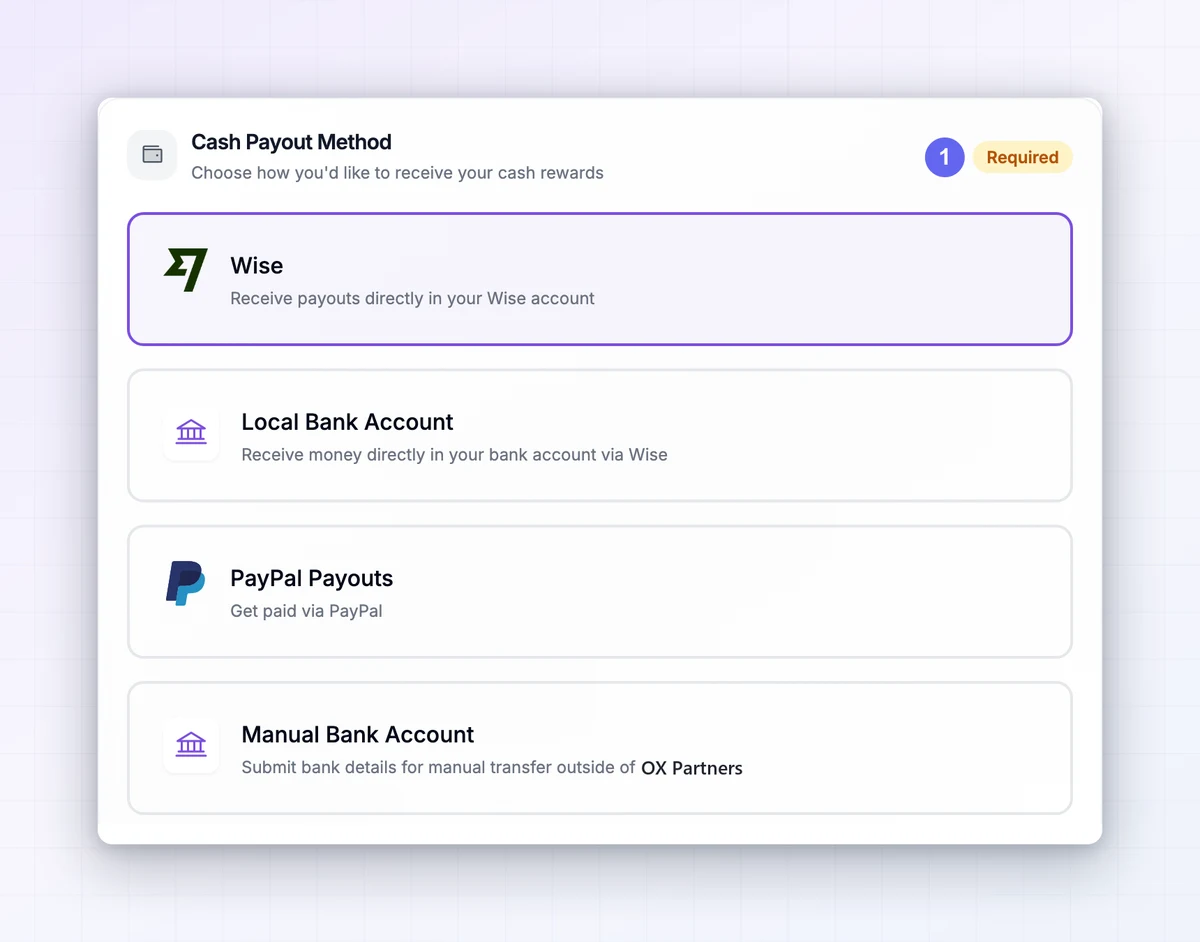
Choose a supported method
Open payout settings. Depending on the program, options can include Wise, PayPal, local bank details, manual transfer, or a connected bank account. Use only the methods displayed for your program.
Enter details securely
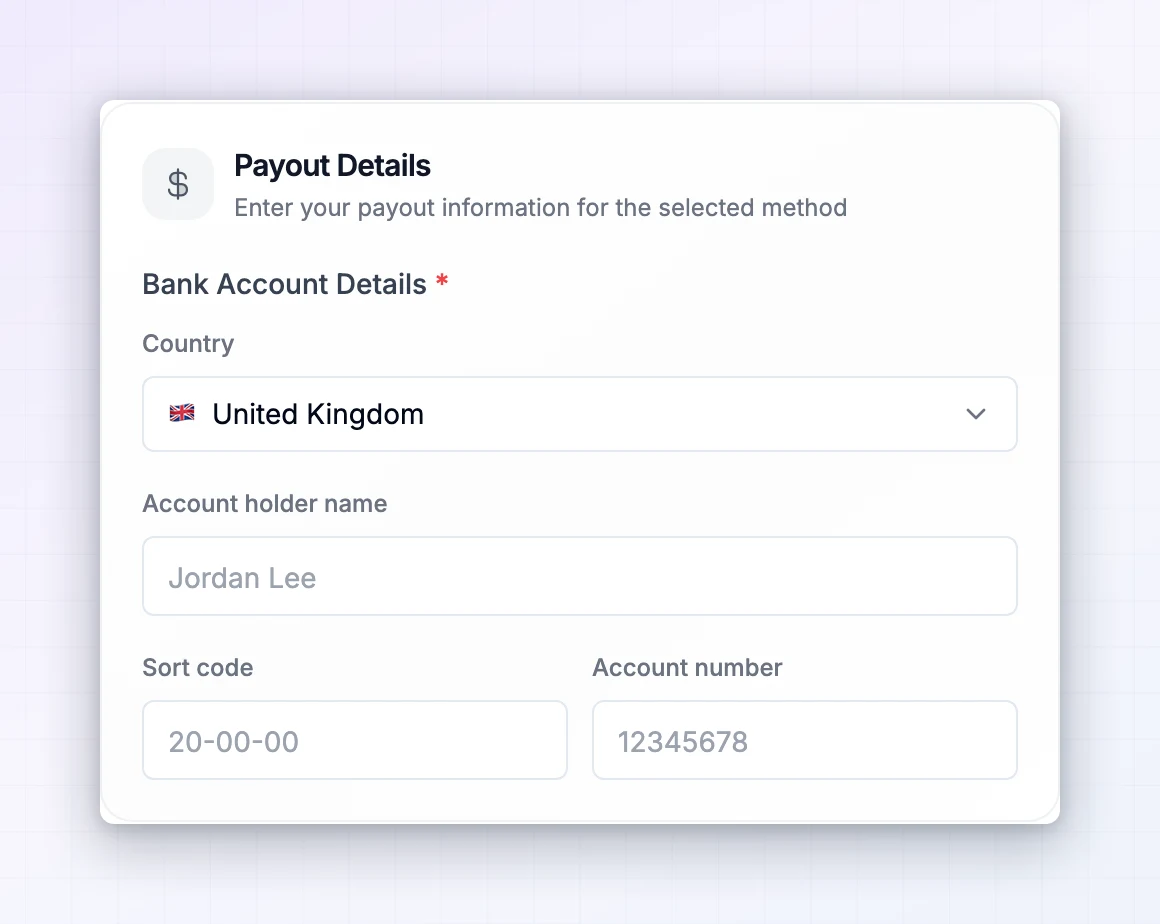
Complete the provider or portal form. Match the account-holder name and account requirements shown. Connected-account payouts can require a local-currency checking account. Review any currency-conversion fees before confirming.
Check the result
Save your settings and confirm the method appears correctly. Updating a method does not necessarily change a payout already processing. For payment issues, contact the manager with the payout reference and method name. Enter bank details only in the intended secure settings flow, not in a support email.

More screenshots (1)
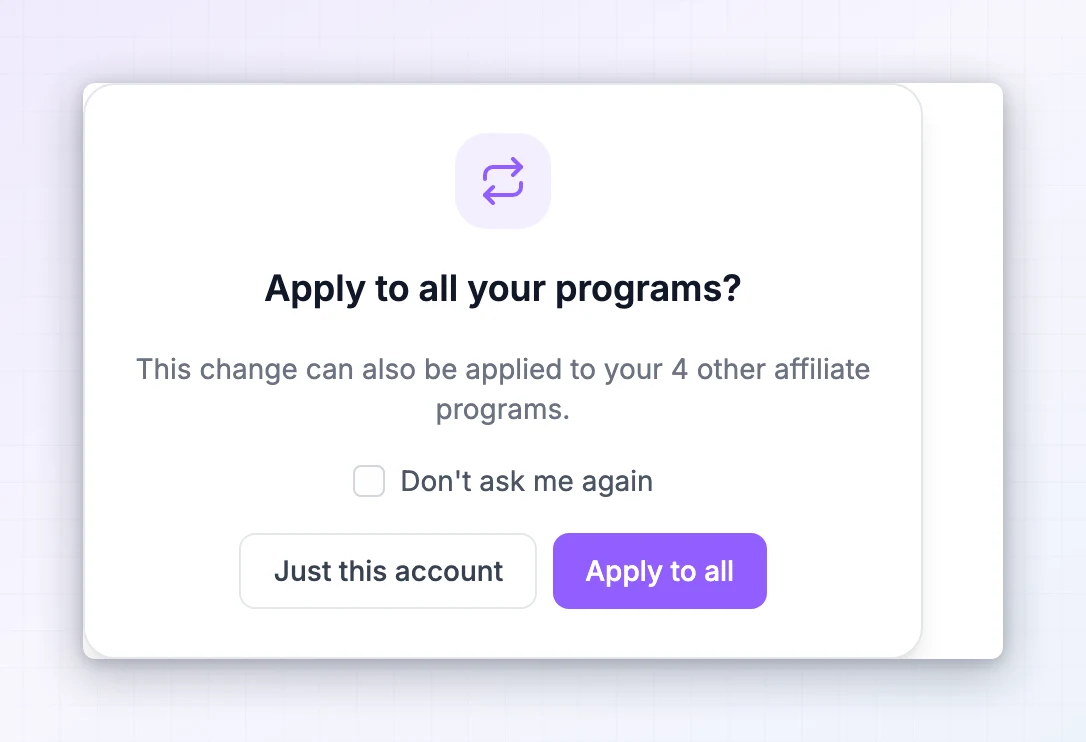
Interface examples adapted for OX Partners from Referly. Your program’s appearance and enabled tools may vary.